🌿 Welcome To
RAHVAAS & KHAAS
PUSHKAR, RAJASTHAN • 100% PURE VEG
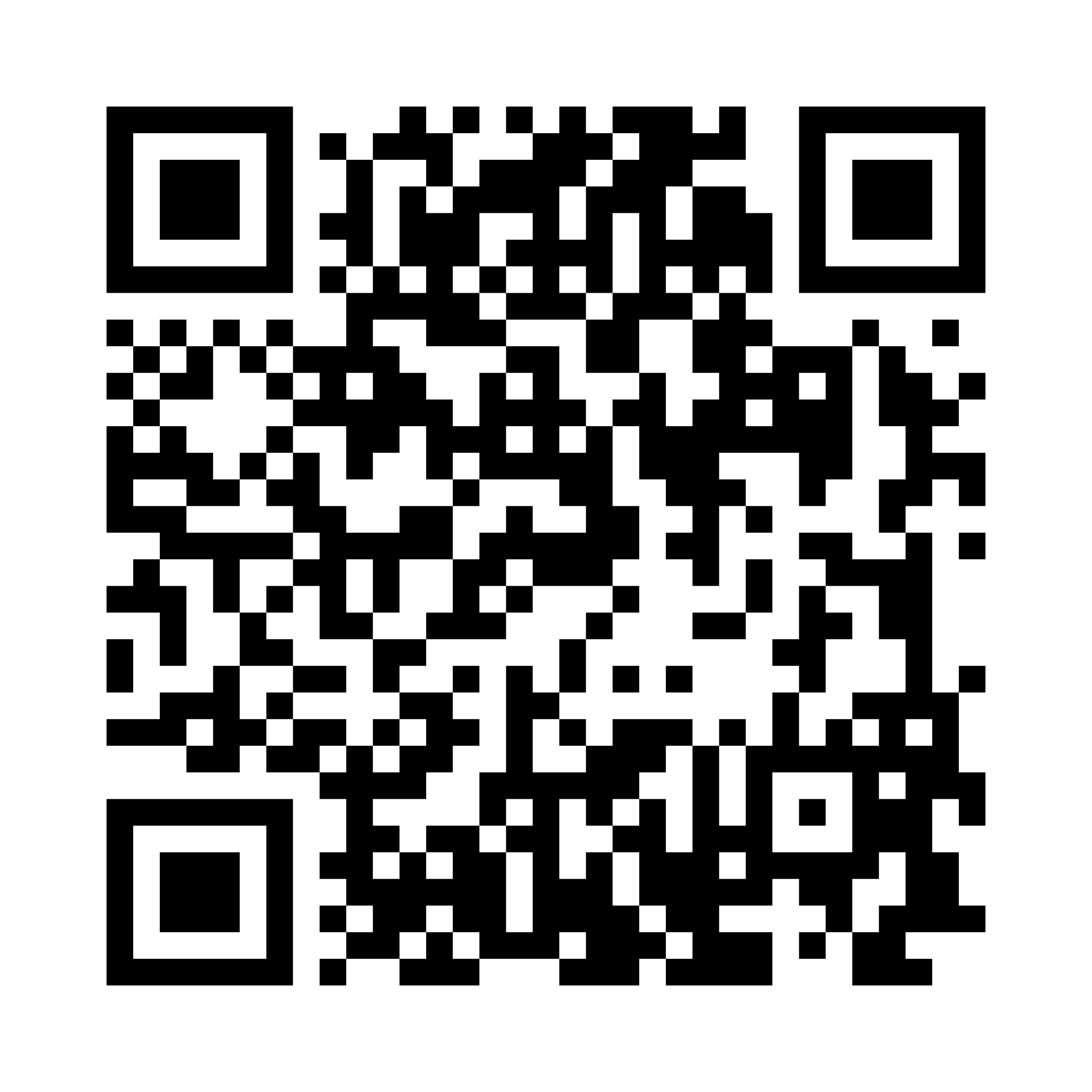
Apple iPhone / iOS
Open Camera app → Point at QR → Tap yellow link banner
Android / Samsung
Open Camera or Google Lens → Tap notification to open
Direct: https://share.google/bOAouT2yXxO1brbBt
Verified Universal Scanner
This QR scanner encodes the official Google link for Khaas Restaurant & Rahvaas Resort. Formatted with high-contrast modules, standard ISO Reed-Solomon Error Correction Level M, and a 4-module quiet zone to lock focus instantly on any mobile lens.
Compatibility Verification
- iOS: iPhone 6s through iPhone 16 Pro Max (iOS 11 - 18+) native camera
- Android: Google Lens, Samsung Camera, Xiaomi, Pixel (Android 8 - 15+)
- Resolution: 1640 x 1640 pixels (ultra-crisp for both digital & 300 DPI print)
- Format: ISO/IEC 18004 Standard QR Model 2, Version 4 (33x33 matrix)
- Quiet Zone: 4-module clean white margin preventing edge reflection
Live Web Camera Scanner
Scan any QR code using your phone's camera right in Safari (iOS) or Chrome (Android). No app installation required.
QR Code Successfully Scanned!
Apple iPhone & iPad (iOS)
iOS 11 through iOS 18+- Open Camera: Open the built-in Camera app from your Home Screen, Lock Screen, or Control Center.
- Point & Frame: Point your rear camera at the QR code. Keep the phone steady ~10-20 cm away.
- Tap Link Notification: A yellow link pill reading google.com or share.google will pop up directly on the viewfinder. Tap it to open instantly in Safari.
- Control Center Shortcut (Alternative): Swipe down from top-right corner → Tap the Code Scanner tile for super-fast scanning.
Android Smartphones
Samsung, Google Pixel, Xiaomi, OnePlus, Vivo- Native Camera: Open your default Camera app. In modern Samsung Galaxy, Pixel, and OnePlus phones, QR detection is automatic.
- Google Lens (Universal): If your camera app doesn't trigger automatically, tap the Google Lens icon inside your camera or Google Search bar.
- Tap Scanned Result: Tap the pop-up link pill on screen to view Google reviews and location in Chrome or Google Maps.
- Quick Settings Tile: Pull down the notification shade from top → Tap the Scan QR code quick setting tile.